

UV DTF printers are widely used for printing on various hard surfaces such as flat planes, spheres, and cylinders due to their high precision, full-color printing capabilities, and instant drying properties. They can also directly print on materials like woven straps, canvas bags, plastics, wood, metal, and glass.
Not only can it rapidly produce vibrant or gradient patterns, but it also ensures wear resistance, waterproofing, and long-lasting color, making it ideal for custom gifts, corporate branding, industrial signage, and creative product manufacturing.
This article outlines the 8 most critical points beginners often overlook when using UV DTF prints, helping you get up to speed quickly, avoid common issues, and ensure print quality and equipment longevity.
Check the ink status of the printhead before startup
If the print uv has been idle for over half an hour, the printhead surface may experience slight drying.
Therefore, ink priming should be performed before what is a UV printer to ensure the printhead is in optimal condition, reducing the risk of stringing or color variation during printing.
Inspect the print bed for foreign objects
Before starting the print, carefully inspect the printer UV flatbed to ensure there are no screws, small tools, or other small objects present. Additionally, clean any dust from the surface of the UV printing platform to prevent foreign objects or dust from adhering to the printhead and affecting print quality.
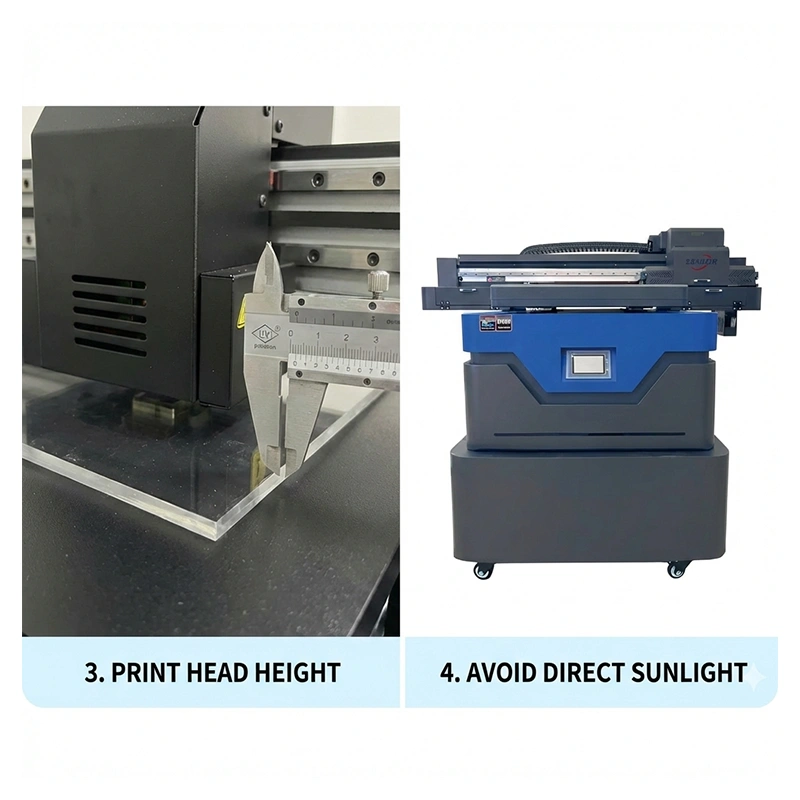
Adjusting Print Head Height
The distance between the UV LED printer‘s print head and the printing material is critical for print accuracy.
The optimal distance is approximately 2 mm.
Improper print head distance may result in:
Poor print quality
Scratching the product
Damaging the print head
Recommendation: Always adjust and test the print head height before uv print machine.
Avoid Direct Sunlight
A personal UV printer should be placed in a shaded environment to prevent direct exposure to sunlight.
Excessive light exposure may affect the photosensitive components inside the device and compromise ink quality.
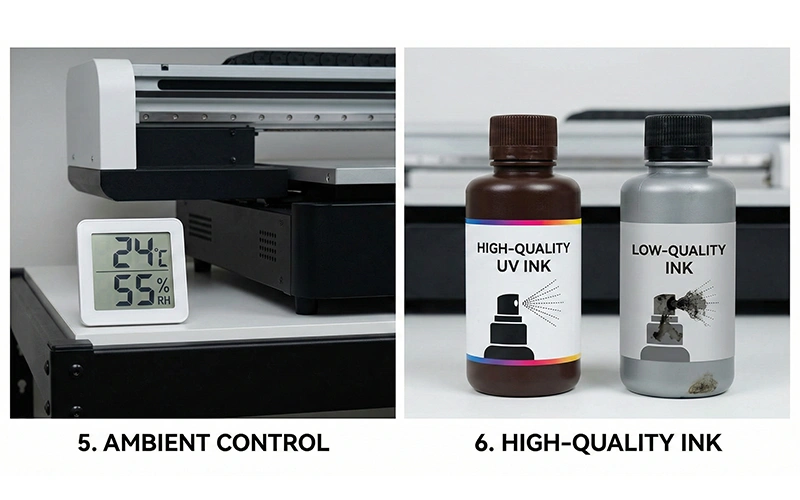
Control Ambient Temperature and Humidity
Optimal Operating Environment for UV Ink Printer:
Temperature: 20°C–28°C
Relative Humidity: 50%–60%
Inappropriate temperature and humidity may cause uneven ink drying, nozzle clogging, or reduced print accuracy.
Use High-Quality Ink
We recommend using manufacturer-recommended UV inkjet printer and avoiding low-quality ink:
Prone to nozzle corrosion
Insufficient ink fineness
Uneven printing results
High-quality ink ensures optimal print quality while extending nozzle lifespan.
Nozzle Maintenance During Extended Downtime
If the UV inkjet printer manufacturers will remain unused for an extended period, you should:
Flush ink from the nozzles
Apply nozzle preservative to protect the printheads
This prevents ink from drying in the nozzles and dust from entering, avoiding clogs and ensuring the equipment functions properly when restarted.
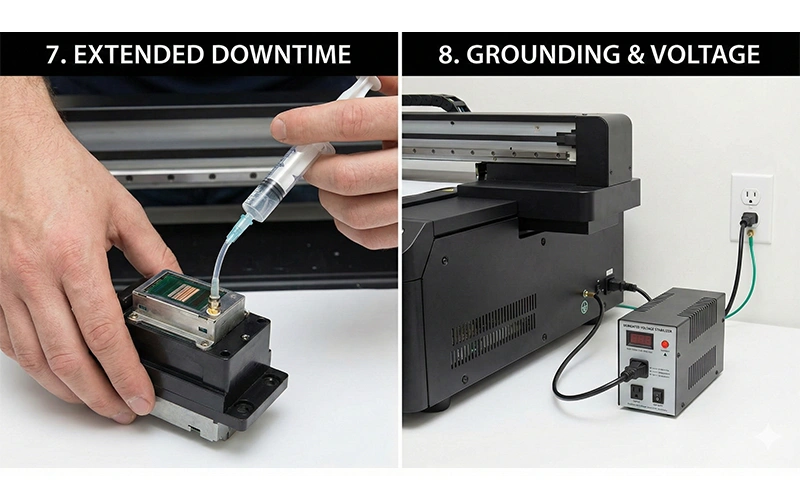
Grounding Wire and Voltage Stabilizer
A 3D texture UV printer must be grounded and equipped with a voltage stabilizer.
This prevents damage to printheads or motherboards caused by voltage fluctuations,
enhancing equipment safety and extending its service life.
Summary
When using UV 3D printing for the first time, paying attention to the above 8 points can effectively reduce printing issues, extend equipment lifespan, and ensure print quality.
Operating a DTF UV printer isn’t complicated, but details determine success. Printhead maintenance, environmental control, and ink selection are key to ensuring print quality.
If you have further questions about uv printing service, feel free to leave a comment below or provide your contact information. Our professional UV printer news team is ready to offer support and solutions.