

3D Embroidery UV DTF Film FAQ
What is 3D Embroidery UV DTF Film?
This FAQ explains 3D Embroidery UV DTF Film for raised fabric labels, apparel logos, hats, bags, shoes, and sportswear. It covers the transfer process, compatible fabrics, printing requirements, application methods, and common questions for businesses using UV DTF film to create embroidery-effect labels.
This FAQ answers common questions about 3D Embroidery UV DTF Film for raised logos, embroidery-effect stickers, apparel labels, hats, bags, shoes, and sportswear. Learn about transfer settings, printer compatibility, peeling, bubbles, storage, samples, MOQ, and OEM packaging
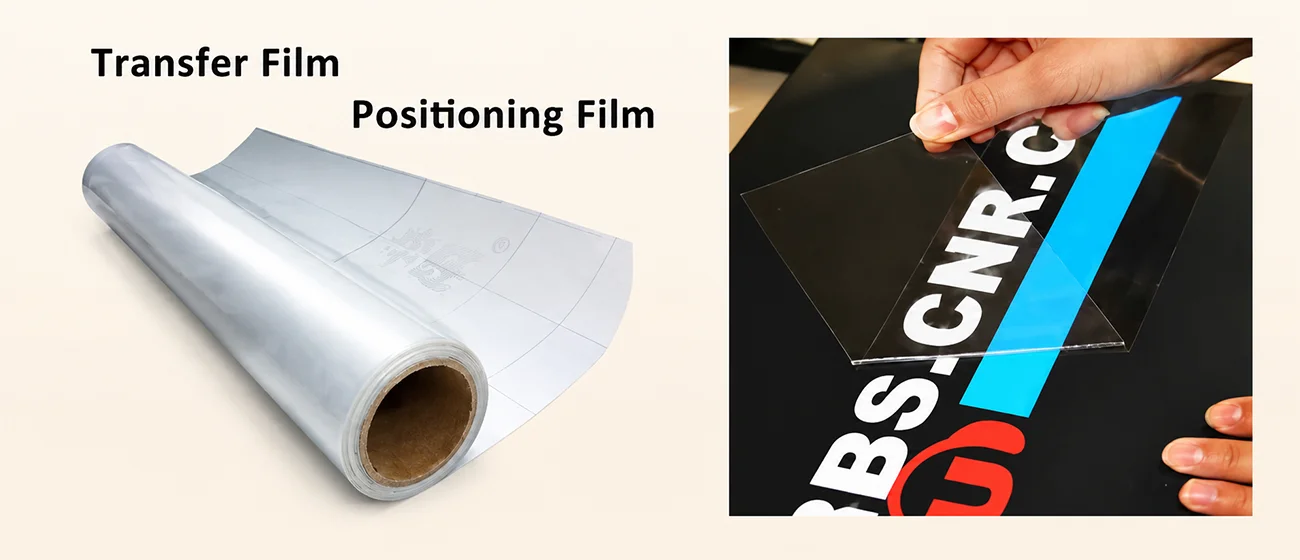
3D embroidery UV DTF film, also known as a UV transfer sticker or crystal label, is more like a printing process than traditional paper. Its base material is transparent film, and after printing, it is covered with a transfer film layer. During application, the design is transferred from the transfer film onto the target object surface by pressure or heat. Finally, the top film is peeled off, leaving only the clear printed pattern on the surface.
What is the difference between UV DTF paper and UV DTF film?
Actually, in the UV DTF industry, UV DTF paper and premium UV DTF film usually mean the same thing. Most people in the market prefer to say “UV DTF film” or “UV DTF AB film” because the material itself is a film, not traditional paper.
It is mainly used for printing and transferring logos, stickers and graphics onto hard surfaces such as glass, plastic, metal and packaging products.
What is UV DTF AB film?
UV DTF AB film is a transfer film system used in UV DTF printing. It includes A film and B film, which work together during the printing and transfer process.
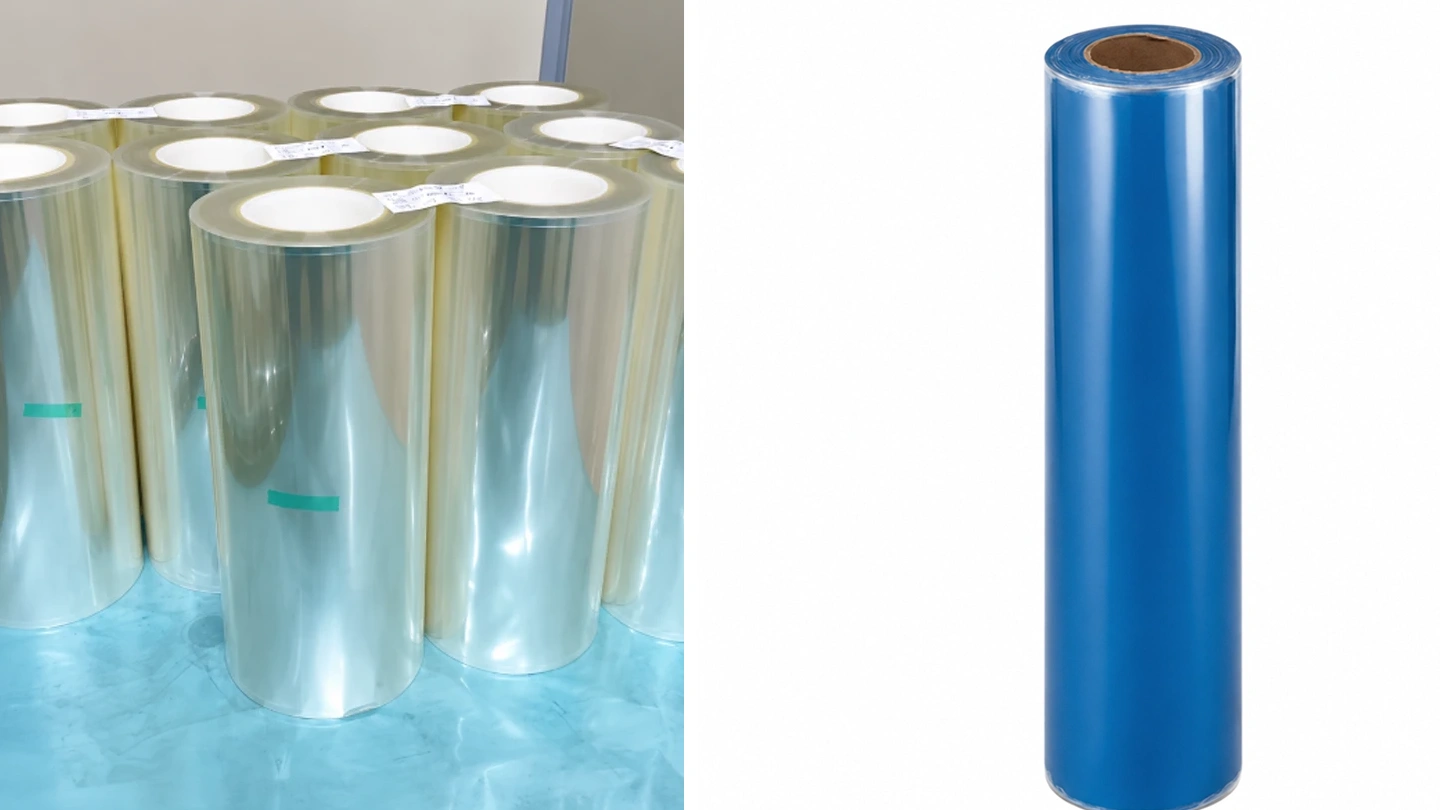
A film is the printing layer. It has a PET base film with an ink absorption coating, where the UV printer prints glue, white ink, color ink and varnish layer by layer, with UV curing after each layer.
B film is the transfer and protection layer. After printing, the A film is laminated with the B film, allowing the printed design to transfer onto the B film surface.
During application, the A film is removed first, then the design is applied to the target surface. After pressing, the B film is peeled off, leaving the finished graphic on the product surface.
UV DTF AB film is widely used for custom stickers, logos, packaging decoration and hard surface transfers.
Our premium UV DTF AB film is suitable for crystal labels, UV stickers, 3D transfer applications, embroidery-effect printing, 3D raised logo printing, and silicone-effect logo printing.
Embroidery Film A Film & B Film Display
What materials can UV DTF paper be applied to?
UV DTF paper can be applied to many different materials, especially hard surfaces. Common applications include glass, metal, plastic, ceramic, wood and acrylic products.
It can also be used on some slightly soft materials such as silicone and leather, depending on the surface condition and adhesive performance.
Because UV DTF transfer does not require direct printing on the product surface, it is widely used for custom logos, packaging, promotional products and decorative applications.
Is UV DTF paper waterproof?
Yes, UV DTF paper is generally waterproof after transfer. The waterproof performance mainly comes from the UV-cured ink and the strong adhesive layer used during the printing process.
UV DTF printing uses UV ink that is instantly cured under ultraviolet light, creating a sealed and durable surface. After transfer, the adhesive film bonds tightly to the material surface, helping protect the design from water, moisture and daily use.
Because of this, UV DTF stickers are widely used on products such as tumblers, water bottles, phone cases, packaging and plastic products. Under normal use, the design can remain stable even after hand washing or water exposure, without peeling, bubbling or fading easily.
Frequently Asked Question:
Why does the printed pattern peel off easily with a fingernail? Is it caused by the UV printer or the UV ink?
In most cases, the core issue is poor UV printing adhesion. This may be related to the printer, UV ink, printing process, or material surface. Different causes require different troubleshooting methods.
Common Application Problems of UV DTF film
Sometimes after printing, the pattern on the UV DTF film may peel off easily with a fingernail, fail the cross hatch or tape test, wrinkle, or show weak adhesion on the product surface. These problems are usually not caused by only one factor. In most cases, they are related to the UV ink, coating, material surface, printing settings, or the overall printing process.
When using UV DTF transfer film on different materials such as glass, acrylic, metal, or plastic, the surface treatment method is also different. Some products need to be cleaned with a dust-free cloth before printing, while others may require adhesion promoter or coating treatment to improve bonding performance.
Because every material reacts differently to UV printing, there is no single solution for all products. Choosing the correct UV ink, coating, and pre-treatment process is very important for achieving strong adhesion and stable printing results.
Why does UV DTF film peel off?
UV DTF film peeling problems are usually related to surface preparation, curing settings or transfer conditions.
One common reason is that the material surface is not cleaned properly. Oil, dust, fingerprints or moisture on the surface can reduce adhesive performance and prevent the film from bonding well.
Incorrect UV curing settings can also cause peeling. If the UV lamp power is too low, the curing time is too short, or the printing speed is too fast, the ink and glue may not cure completely, making the printed layer unstable.
Material compatibility is another important factor. Different materials require different adhesive performance, and low-quality AB film or incorrect coating selection may affect transfer results.
Transfer process settings also matter. If the temperature, pressure or pressing time is not suitable, the design may not bond firmly to the surface.
In addition, uneven or textured materials such as fabric or leather may reduce adhesion because the glue cannot fully contact the surface.
Why are bubbles appearing during transfer?
Bubbles during UV DTF transfer are usually caused by trapped air, moisture or incorrect transfer settings.
One common reason is improper application. If the transfer speed is too fast or the pressure is uneven, air can remain between the film and the surface, especially on curved or irregular products.
Humidity can also affect the transfer result. In high-moisture environments, the UV DTF film or the material surface may absorb moisture. During heat transfer, the moisture turns into vapor and creates bubbles under the film.
Incomplete curing is another possible cause. If the ink or adhesive layer is not fully cured before transfer, residual moisture or solvent may evaporate during heating and lead to bubbling.
Incorrect transfer temperature, pressure or pressing time may also cause problems. Excessive heat can quickly generate vapor inside the material, while insufficient pressure may prevent the film from bonding smoothly to the surface.
Why is the transfer not sticking properly?
If the UV DTF transfer is not sticking well, the problem is usually related to pressure, material compatibility or storage conditions.
Insufficient transfer pressure is one of the most common reasons. During application, the pressure should be even and strong enough to help the adhesive fully bond to the surface.
Material compatibility can also affect adhesion. Low-quality film, incorrect ink matching or unsuitable adhesive layers may reduce transfer performance on different materials.
Environmental conditions are another important factor. High humidity or unstable temperatures may affect both the film and the transfer result, so it is better to work in a dry and stable environment.
Improper storage of UV DTF film may also weaken the adhesive layer. The film should be sealed and stored in a cool, dry place away from heat and moisture.
In some cases, the material surface itself may cause problems. Textured surfaces or special coatings, such as waterproof coatings, can reduce adhesion. Cleaning or testing the surface before transfer is recommended.
Why does the design crack after transfer?
Cracking after UV DTF transfer is usually caused by weak adhesion or poor flexibility between the transfer layer and the material surface.
One common reason is improper UV curing during printing. If the ink or varnish is not cured correctly, the printed layer may become brittle and crack more easily during use.
Material compatibility also plays an important role. Low-quality UV DTF film, unsuitable ink or poor matching between materials can reduce flexibility and bonding strength.
In some cases, the artwork design itself may cause cracking. Very thin lines, small isolated details or complex patterns can create weak areas in the transfer layer, making the design easier to break during stretching or handling.
Incorrect transfer operation may also damage the design. Stretching the product before it cools down completely, or using too much or too little pressure during transfer, can affect the stability of the printed layer.
The material surface should also be clean before application. Dust, oil or incompatible surface coatings may reduce adhesion and increase the risk of cracking after transfer.
What are the best transfer pressure and temperature settings?
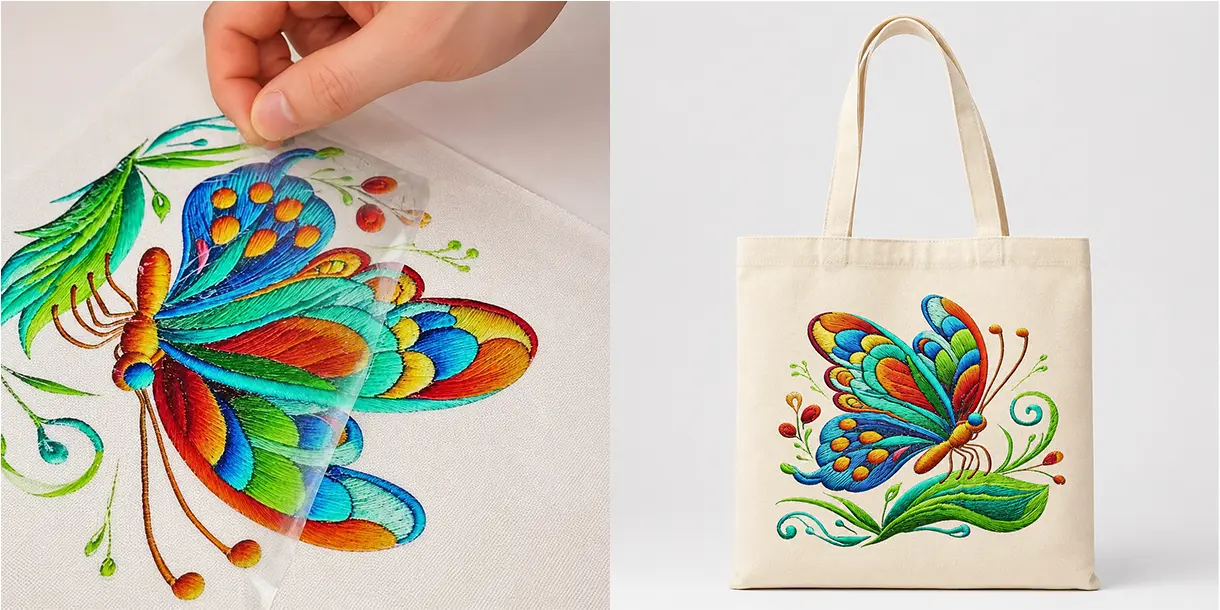
Embroidery-Style Transfer
- Temperature — 160°C
- Pressure — Around 4kg
- Before pressing, gently rub and press the design area by hand
- Do not press hard on blank areas without graphics
Low temperature or insufficient pressure may cause poor adhesion or incomplete transfer.
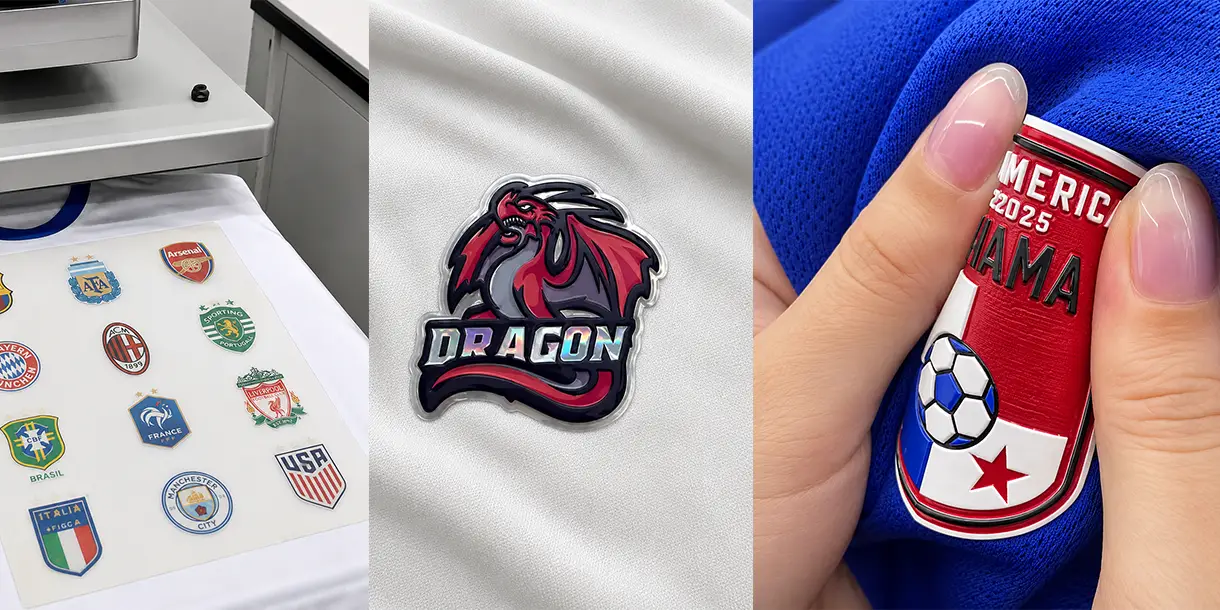
UV 3D Raised Logo / Silicone Label
- Temperature — 170°C
- Press Time — 10 Seconds
- High temperature pressing is recommended for better bonding and stronger 3D effect
- Suitable for sportswear, hoodies, bags and other fabric applications
Printer Compatibility
UV DTF Film Printer Compatibility
Our PVC film, TPU film and embroidery film are widely used with the 6090 UV printer for producing UV DTF stickers, raised 3D logos and embroidery-style transfer labels.
Available Film Specifications
- PVC Film — 0.3mm thickness | 0.6m × 25m
- TPU Film — 0.3mm thickness | 0.6m × 25m
- Embroidery Film — 0.6m × 100m
These film sizes are commonly matched with our 6090 UV printer, but we also offer other UV printer models for different film widths and roll sizes.
If you are not sure which UV printer or film size is suitable for your production, feel free to contact us for professional recommendations.
Which printers support UV DTF paper?
Most UV printers can work with UV DTF paper.
Common models include UV A4 printers, UV A3 printers, roll-to-roll UV printers and flatbed UV6090 printers.
Our UV printers can be used with PVC Film, TPU Film and Embroidery Film for different transfer applications.
The most important thing is choosing the right UV DTF paper for UV DTF printers, based on your product and application. Different films are suitable for different effects, such as:
- 3D raised logos
- Silicone-style labels
- Embroidery-effect transfers
- UV DTF stickers and patches
- Crystal label printing
Is UV DTF paper compatible with Epson printheads?
Yes. Our UV DTF films are compatible with Epson printheads.
The 6090 UV printer can be configured with 1, 2, 3 or 4 Epson printheads, depending on your production needs and printing speed requirements.
As mentioned in this article, PVC Film, TPU Film and Embroidery Film can all be printed with a UV6090 printer equipped with Epson printheads. These films are commonly used for producing:
- 3D raised logos
- Silicone-effect labels
- Embroidery-style transfer patches
Different printhead configurations are suitable for different production volumes and transfer applications.
How to store UV DTF paper?
UV DTF Transfer Film Storage Tips:
UV DTF transfer film should be stored in a cool, dry and well-ventilated place at around 25°C. Keep the film away from heat sources, moisture and direct sunlight. Store the film vertically and avoid heavy pressure or horizontal stacking. During handling and use, keep the film dry, as moisture may cause bubbles, gas generation and chemical reactions during high-temperature transfer.
Can humidity affect UV DTF transfer?
High Humidity
(Above 60%)
• Film may absorb moisture and dust easily
• Ink adhesion may become weaker
• Ink drying and UV curing may slow down
• Bubbles or edge lifting may appear during transfer
Low Humidity
(Below 40%)
• Static electricity may appear during printing.
• Dust can stick to the film surface easily.
• Printing quality may become unstable.
Recommendation
• Recommended humidity: 40%–60%.
• Store UV DTF film and ink in a cool and dry place.
• Avoid moisture and over-dry environments.
Can I get free samples?
Yes, we can provide free samples for our best-selling transfer films.
Available Sample Types
- PVC Film
- TPU Film
- Embroidery Film
These 3 films are currently our most popular products for UV 3D raised logos, silicone-style labels and embroidery-effect transfers.
Free samples are available, you only need to pay the shipping cost. If you want to test the film quality or transfer effect before placing an order, feel free to contact us.
You can also check our premium UV DTF paper product page for detailed film specifications and application videos.
3D Embroidery UV DTF Film FAQ
What is 3D Embroidery UV DTF Film?
3D Embroidery UV DTF Film is a special UV DTF film used to create raised embroidery-effect labels for fabric products. It is suitable for clothing logos, hats, bags, shoes, sportswear, and custom brand labels. Compared with traditional embroidery, it does not require sewing, embroidery molds, or complicated production steps.
Can 3D Embroidery UV DTF Film be applied to fabric?
Yes. 3D Embroidery UV DTF Film is designed for fabric label applications such as apparel logos, cap logos, bag labels, shoe tongue labels, sportswear branding, and fashion accessories. The finished label has a raised, textured look that is similar to embroidery-style decoration.
What is the difference between 3D embroidery UV DTF film and regular UV DTF paper?
Regular UV DTF paper is mainly used for hard surfaces such as glass, acrylic, metal, plastic, packaging, and gift products. 3D Embroidery UV DTF Film is designed for raised embroidery-effect fabric labels and soft product branding applications, including clothing, hats, bags, shoes, and sportswear.
Do you support OEM packaging and worldwide shipping?
Yes. We support OEM packaging and worldwide shipping for UV DTF Film orders. We can customize labels, cartons, logos, stickers, and packaging details according to your brand needs. As long as your country allows the import of this product, we can arrange delivery for PVC film, TPU film, and embroidery film.
Recommended Products
Suitable for crystal labels, UV stickers, 3D raised logos, embroidery-effect printing and silicone-effect logo applications.
6090 UV printer for crystal labels and raised logos
Professional UV printer for crystal labels, 3D raised logos, embroidery-effect labels, and silicone-effect logo applications.