

In the UV printing industry, the printhead is the most expensive and delicate component of the entire machine.
Many customers ask:
“Why is my brand-new UV printer printhead damaged before I even start production?”
In most cases, the issue is not printhead quality.
It is installation, power supply instability, or improper operation.
Let’s analyze the real causes and how to prevent UV printer printhead damage.
Why Do New UV Printheads Get Damaged Before Use?
For small UV printers such as UV6090, A3 UV printers, A4 UV printers, and small roll-to-roll UV machines, installation is critical.
These machines typically require:
220V two-phase power supply.
If the power environment is unstable, the printhead can be permanently damaged during the first power-on.
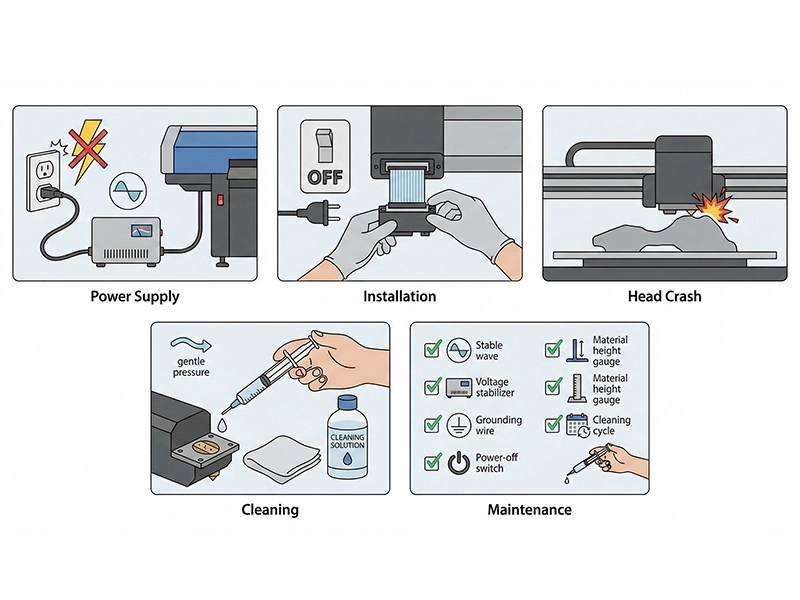
1. Power Supply Instability During Installation
UV printheads are extremely sensitive to voltage fluctuation.
Common risks include:
- Large voltage fluctuation
- No proper grounding
- No voltage stabilizer
- Poor electrical wiring environment
Without a stabilizer, voltage spikes may burn the printhead circuit board instantly.
Recommendation:
Always use a voltage stabilizer and independent grounding before installation.
This is especially critical for UV6090 and small-format machines.
2. Incorrect Printhead Installation
Replacing or installing a printhead must be done with power completely off.
Common mistakes:
- Plugging ribbon cables while powered
- Reversed cable insertion
- Loose connections
Even a single incorrect connection can destroy both the printhead and motherboard.
3. Head Crash from Improper Material Setup
Before printing, always check:
- Material flatness
- Correct placement
- Height limitation
- High drop areas
Printing high-drop products requires adjusting head height according to the highest point.
Head crashes are one of the most common causes of UV printer printhead failure.
4. Long Idle Period & Incorrect Recovery
When the printer stays unused for a long time:
Follow this process:
- Perform multiple ink charging cycles
- Run cleaning cycles
- Print nozzle test pattern
If the nozzle test is normal, perform a small print test.
If abnormal:
- Check ink bag levels
- Repeat charging and cleaning
If still abnormal, the printhead may be clogged.
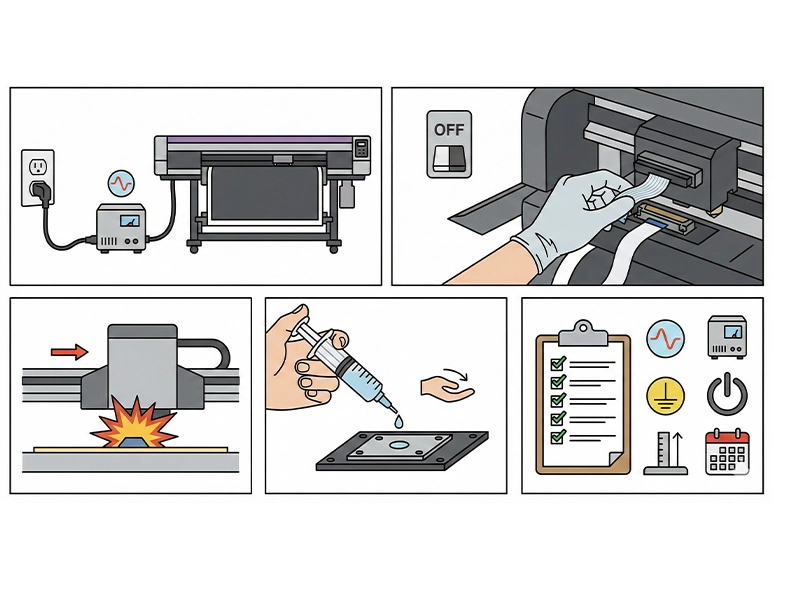
5. Printhead Cleaning Precautions
For mild clogging:
Use a syringe with proper cleaning solution to gently flush.
Important:
Do not apply excessive pressure.
Severe clogging can:
- Block internal channels
- Cause irreversible damage
- Lead to printhead replacement
Improper cleaning can cause more damage than clogging itself.
6. Printing Special Materials & High Drop Products
When printing uneven surfaces:
- Measure maximum height
- Adjust head gap
- Avoid collision
Many printhead damages occur when printing special materials.
Why Proper Printhead Management Is Critical
A UV printhead is:
- One of the most expensive parts
- The most precise component
- The core factor affecting print quality
Once damaged:
- Replacement cost is high
- Production downtime increases
- Orders are delayed
Standard operating procedures are essential.
Preventive Maintenance Checklist
✔ Stable 220V power supply
✔ Use voltage stabilizer
✔ Independent grounding
✔ Power off before head installation
✔ Check material height
✔ Regular maintenance during idle periods
✔ Proper cleaning procedures
Conclusion
New UV printhead damage is rarely a manufacturing defect.
Most cases result from:
- Unstable power
- Incorrect installation
- Head crash
- Improper cleaning
- Poor idle maintenance
For UV6090 and small-format UV printers, following strict operating procedures can significantly extend printhead lifespan.
Prevention is always cheaper than replacement.
FAQ
Why does a new UV printhead fail before production?
Most cases are caused by unstable power supply or incorrect installation.
Does UV6090 require a voltage stabilizer?
Yes. A stabilizer helps prevent voltage fluctuation damage.
Can improper cleaning damage a UV printhead?
Yes. Excessive flushing pressure can permanently damage internal channels.
What causes UV printer head crash?
Improper material height setup and uneven surfaces.
How to prevent UV printhead damage?
Use stable power, follow correct installation procedures, and perform regular maintenance.