
Introduction
What do you actually learn in UV printer training? This is one of the most common questions from beginners. UV Printer Training is not just about operating the machine. It also includes design skills and the full UV printing process.
If you are planning to start a printing business, this guide will help you understand the learning process clearly.
What Is UV Printer Training?
UV printer training usually includes two parts: design preparation and machine operation. Both are important.
Design affects the final look. The machine controls the output quality.
Part 1 – Design Skills for UV Printing
Choosing the Right Software
Common software includes CorelDRAW, Illustrator, and Photoshop. Each has different use cases.
If you need high-precision graphics, Illustrator is the better choice.
Vector vs Bitmap
Vector graphics offer higher precision. No jagged edges. Perfect for logos and detailed designs.
Bitmap images are good for photos, but they lose quality when enlarged.
Simple rule:
High precision → Use vector graphics
Image effects → Use bitmap graphics
Part 2 – UV Printing Machine Operation
Software Setup (Print + RIP)
UV printing machines require both control software and RIP software.
For example:
- PrintExp (Control software)
- RIIN (RIP software)
Different motherboard systems use different software combinations.
Hardware Operation Skills
UV printer operation includes:
- machine operation
- color control
- material handling
- maintenance
- troubleshooting
These skills decide if you can run production smoothly.
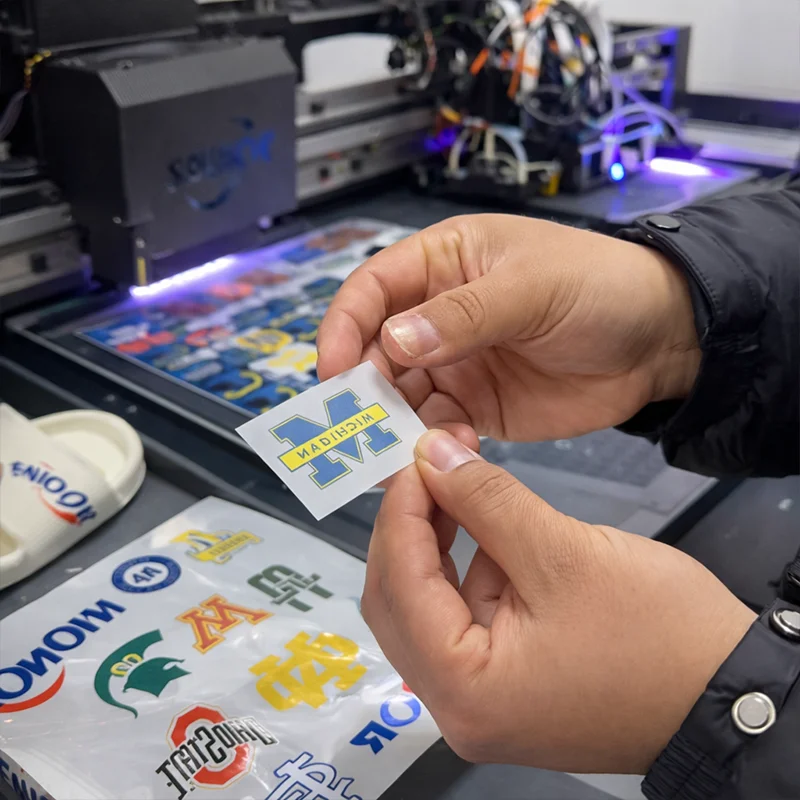
UV Printing Process Step by Step
The UV printing process is simple when standardized.
Typical workflow:
- Design artwork
2. RIP processing
3. Printing
4. UV curing
5. Finished product inspection
If you follow these steps, results will be consistent and stable.
How Long Does It Take to Learn UV Printer Training?
Learning time depends on your background, but here is a general idea.
For beginners:
Students with no experience usually need about 2 months.
For experienced users:
With design basics, you can learn in about 1 month.
Is UV Printer Easy to Learn?
Overall, UV printers are easy to learn.
The main challenge is design software.
Machine operation is actually quite straightforward.
Simple summary:
- The software is a bit more difficult;
- the machine is much easier.
Choose UV Printer Training with support.
If you are running a business, choose a supplier that offers training.
This saves time and reduces mistakes.
We recommend:
- Provide complete training
- Provide after-sales support
- Provide operation instructions
This is the fastest way to start making money.
FAQ
Q1: What is UV printer training?
UV printer training includes design and machine operation.
Q2: How to use UV printer step by step?
Design → RIP → Print → Cure → Inspect.
Q3: Is UV printer easy to learn?
The machine is easy; the software takes time.
Q4: How long does UV printer training take?
About 2 months for beginners, 1 month for experienced users.
Q5: What software is used in UV printing?
Illustrator, CorelDRAW, Photoshop.
Illustrator, CorelDRAW, and Photoshop.